TizzChat: Craft Your World
- 2.8
- Rating
- 50.00K
- Installs
- Free
- Price

 Analysis by App-foxy
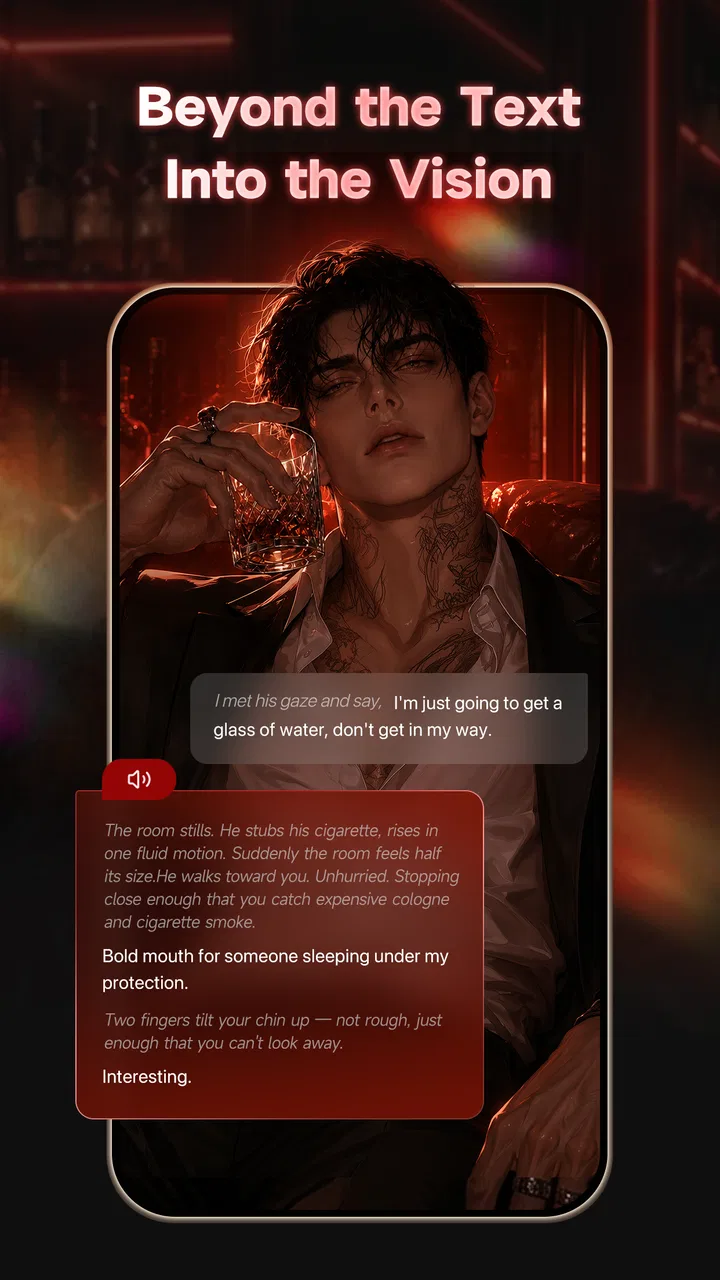
I approached TizzChat: Craft Your World as something a household might keep on a shared tablet rather than as a private messaging tool used by one person alone. Its promise is appealing: conversation, story creation, and imaginative worlds in one entertainment app. In practice, that combination makes it more interesting than a basic chat service, but it also means that account boundaries, age suitability, and shared-device habits matter from the first minute.
The app is free to install, comes from NATUREAI TECHNOLOGY PTE. LTD., and is listed for mature users aged 17 and above. That age label is the first detail I would discuss with anyone considering it for a family device. The creative side may sound harmless, especially when children enjoy making characters and stories, but the presence of chat changes the decision. I would not treat it as a general-purpose children’s app simply because its world-building angle sounds playful.
How TizzChat fits into a shared household
The most realistic shared-use situation is a tablet in a living room that several people use at different times. One person may want to experiment with a story, another may open a conversation, and someone else may simply browse whatever world has been left on screen. That flexibility is part of the appeal, but it can quickly become confusing if everyone assumes the app remembers who is using it.
You May Also Like

 Blood Strike: 2.5 Anniversary
Blood Strike’s Loadouts Turn Every Drop Into a Tactical Gamble
A close look at Blood Strike’s custom loadouts: how fast access to signature weapons reshapes its battle royale rhythm, rewards preparation, and narrows the gap between fights.

 Pandora - Music & Podcasts
Pandora’s Music Is Easy to Start, but Harder to Recover
Pandora’s strength is its low-effort path from a seed to a station. Its weak spot is how much confidence it asks you to place in connection, setup, and quiet recovery.

 8 Ball Pool
 Is Built on Rivalries, Rematches, and Routine
A close look at the rivalries, rematches, shared routines, and unanswered safety questions that turn a quick pool match into a persistent mobile community.

 Samsung Music
’s Quiet Strength Is Playing What You Already Own
Its reach comes less from spectacle than from dependable access to a personal library. That simplicity is both the app’s strongest retention engine and its ceiling.

 AccuWeather: Weather Radar
AccuWeather Review: A Quick, Clear Forecast for Everyday Decisions
For everyday plans, the best forecast is the one you can understand quickly. AccuWeather makes rain timing, radar, and local conditions easy to act on, with a few trade-offs.

 Hill Climb Racing
Why Hill Climb Racing Still Turns Crashes Into One More Run
A tiny car, a bumpy hill and one more upgrade: Hill Climb Racing keeps resurfacing because its simple chaos makes every near-miss feel personal.
More From Our News Desk
View All News


I would begin by deciding whether the device is being used by one account or by separate people taking turns. A shared login can be convenient for a short creative session, yet it blurs authorship. A story may look as if it belongs to one person when another household member actually created it. The same problem applies to conversations: leaving an account open on a communal device makes private context easier to expose accidentally.
My practical recommendation is simple: treat the app as personal even when the hardware is shared. Before handing over the tablet, I would close the current session or at least return to a neutral screen. I would also avoid creating sensitive stories or holding personal conversations while sitting beside someone who may pick up the device later. This is not a criticism of a particular function; it is a sensible boundary for any app that combines chat with user-created material.
TizzChat is more suitable for a planned creative session than for an always-open household kiosk. If two adults want to build a fictional setting together, the shared screen can be enjoyable. If several people want completely separate private experiences without managing handovers, a device with separate user profiles and a more clearly compartmentalized app may be the better choice.
What I would do before the first conversation
My setup would start with a short agreement about who may use the account, what kinds of personal information should stay out of chats, and whether stories are intended to be private experiments or something others in the household can read. That conversation is especially important when relatives share a device but do not share the same comfort level with fictional role-play or open-ended conversations.
I would also check the operating system before installing. The app requires Android 7.0 or later, so an older phone or tablet may not be suitable even if it still handles other entertainment apps. On a compatible device, I would install it when I have time to explore calmly rather than during a rushed family gathering. The first session should be about understanding the flow, not immediately giving the device to a younger user.
There is another boundary I consider easy to overlook: notifications. If the device is shared, a message preview appearing on the lock screen can reveal more than the person who receives it intended. I would review the device’s notification behavior and use a private profile or separate device where possible. Since I would not assume that a creative app is automatically private, I would make the hardware settings part of the setup.
In-app spending deserves the same attention. The app is free, but individual purchases range from $1.49 to $299.00. That is a wide enough range for me to avoid leaving a shared device unattended with a payment method ready. I would require deliberate approval for every purchase and explain that “free to install” does not mean every optional part of the experience costs nothing.
This is one of the strongest household trade-offs. Free access makes it easy to try the concept, while the purchase range means a family should agree on spending rules before experimenting. I would not let a younger household member explore unsupervised on an adult account simply because the initial download costs nothing.
Using it as a creative coordination tool
The most promising household use is collaborative planning. I can imagine two people using the story side to sketch a setting, decide who a character is, and continue the idea later. The chat element can help keep the exchange conversational instead of forcing everyone into a formal writing program. For a short evening activity, that lower-pressure approach is attractive.
To make collaboration less chaotic, I would establish a simple workflow. One person can start with the basic premise, another can suggest a character or conflict, and the original creator can decide what becomes part of the continuing story. Keeping those roles clear helps prevent a shared creative project from turning into a jumble of unrelated edits or messages.
A useful habit is to write a short “current state” note at the end of a session: where the story is, which characters matter, and what idea should be explored next. I would keep that note outside the app if the project is important, because relying on memory makes it harder for another household member to continue later. This small step turns casual play into a repeatable activity without pretending the app is a full project-management system.
I also see value in using the app for low-stakes conversation prompts. A household could invent a setting and ask each participant to add one detail, then compare how differently everyone imagines the same world. That works best when the goal is shared creativity rather than polished fiction. People looking for advanced editing, document organization, or a carefully versioned writing archive may be happier with a dedicated writing tool.
The trade-off is that the same openness that encourages imagination can make coordination vague. A conventional group chat is usually better when the priority is arranging dinner, sharing a shopping list, or confirming a schedule. TizzChat makes more sense when the conversation itself is part of an imaginative activity. I would not replace a household calendar or messaging service with it.
Why the age label should shape the decision
The mature 17+ rating is not a detail I would bury beneath the creative description. For me, it defines who should use the app directly. A teenager under that age should not be treated as an exception merely because an adult is nearby, and a child should not be given access to an adult’s open account as a shortcut to trying the story features.
This matters because chat and world creation invite open-ended interaction. A fictional setting can move in unexpected directions, and conversational content may not fit every age group or household. I would rather choose an app clearly intended for younger users when the main participant is a child. TizzChat may be appropriate for an adult creative session, but I would not present it as a children’s storytelling platform.
Trust also has two sides here. Adults need to trust that other people using the device will respect account boundaries, while younger users need clear guidance about not sharing identifying details in conversations. I would explain that fictional role-play does not make real-world privacy less important. Names, locations, school information, contact details, and photographs should be handled cautiously in any chat-based environment.
For a household with older teenagers and adults, the app could become a shared creative space if everyone understands the age context and agrees on respectful use. For a home with small children, I would skip it and choose an age-appropriate storytelling or drawing app instead. That is not because the concept lacks value; it is because the mature rating makes the fit wrong.
I would also avoid assuming that a parent’s presence solves every concern. Supervision can help with discussion, but it does not automatically create separate accounts, private spaces, or age-specific experiences. If those boundaries are essential to your household, select a service that explicitly provides the controls you need rather than expecting TizzChat to function like a family-management platform.
What the current version feels like as an entertainment app
The current version is 1.1.4, and the app’s identity is clear enough to distinguish it from ordinary entertainment downloads. It is not just a passive feed and not simply a conventional messenger. The attraction comes from moving between conversation and imagination, with the user contributing rather than only consuming.
That format suits people who enjoy starting ideas without needing a finished plan. I like the possibility of treating a conversation as the first draft of a world, then letting the creative direction develop naturally. It can be a pleasant alternative to watching another short video when the household wants something participatory.
At the same time, I would keep expectations realistic. The store rating averages 2.8 from around 200 ratings, with around 40 written reviews. That does not tell me exactly why every user felt disappointed, but it is enough to encourage a cautious trial rather than an enthusiastic commitment. I would install it, test the basic flow, and decide whether it feels reliable and comfortable for the intended household before spending anything.
The install reach is over 50,000, which suggests that the app has found an audience, but popularity alone would not settle the question for me. A shared-device app has to fit the people using it, not just attract downloads. In this case, the age rating, chat context, and purchase range are more important to my decision than the install figure.
Who will enjoy it, and who should choose something else
I think TizzChat is best for adults or age-appropriate older users who like improvisation, character ideas, and conversational storytelling. It may also suit friends or relatives who want a lightweight creative activity without learning a complex writing application. The strongest use case is a short session with a clear theme, a willing participant, and enough privacy to explore ideas comfortably.
I would be less likely to recommend it to someone seeking a dependable private messenger. A familiar messaging app is usually easier for direct plans and established contacts. I would also steer serious writers toward a dedicated writing environment if they need folders, revision history, export options, or precise control over long manuscripts. TizzChat’s appeal is the blend of chat and imagination, not replacing every tool around it.
It is also a poor fit for a household that wants one account to serve several people without any confusion. The more people share the same login, the more important it becomes to label projects mentally, close sessions, and avoid treating the account as a neutral family space. If that sounds like too much maintenance, use separate device profiles or select an app designed around multi-user organization.
For someone who dislikes open-ended interaction, the experience may feel less satisfying than a game with defined objectives. There is no reason to force a creative chat app on a person who would rather have a structured puzzle, a clear campaign, or a straightforward streaming service. The value here depends heavily on enjoying participation and invention.
My household routine for safer, smoother use
If I were introducing the app at home, I would set aside one supervised first session for adults or users who meet the age requirement. We would agree on the account owner, decide whether the device is private or shared, and make sure payment approval is not casual. I would then create a small fictional prompt rather than immediately entering personal conversation.
During the session, I would keep the project deliberately simple. One setting, a few characters, and a clear stopping point are enough to learn whether the app’s mixture of chat and creation works for us. I would avoid using real family disputes, private names, or identifiable locations as story material. Fiction is more enjoyable when everyone knows where the boundary lies.
At the end, I would close the account view, check for visible notifications, and note whether the next person can understand what was left behind. If the handover feels awkward, that is useful information: the app may be fine for individual use but unsuitable as a communal tablet experience. I would not solve that problem by leaving one person’s conversations open.
For purchases, I would keep the rule equally clear: no one buys anything without the account owner’s permission. The maximum listed item price makes this especially important. Even if the household never spends money, setting the rule early prevents an avoidable argument later.
Finally, I would review the arrangement after a few sessions. If the app encourages creative conversation and everyone respects the boundaries, it can earn a place in the household’s entertainment rotation. If it creates uncertainty about privacy, age suitability, or account ownership, I would remove it from the shared device rather than trying to make an unsuitable setup work.
My final view on TizzChat
I find the central idea appealing because it gives conversation a creative purpose. Instead of treating chat as only a way to exchange short messages, the app invites users to build stories and explore imagined settings. That makes it a more active form of entertainment and gives families or friends a possible shared activity when the participants are old enough and comfortable with the format.
My recommendation comes with firm conditions. I would use it with a private account or a clearly managed shared-device routine, keep personal information out of imaginative conversations, and treat the mature 17+ label as a real boundary. I would also approach purchases carefully, since the app is free to start but includes optional items from $1.49 to $299.00.
The best reason to try TizzChat is its creative conversation loop, not its ability to replace ordinary chat, writing, or family-management tools. If you want an open-ended entertainment app for adult or age-appropriate older users, it is worth a cautious test. If you need child-focused access, strict household separation, structured writing features, or a conventional messenger, I would choose a different option.
For my household verdict, I would keep it as an occasional, intentional activity rather than leave it permanently open on a communal tablet. Used with clear boundaries, it can turn a quiet evening into a collaborative story session. Used casually by everyone under one account, it risks creating more confusion than creativity.
FAQs for TizzChat: Craft Your World
01What is TizzChat: Craft Your World?
TizzChat: Craft Your World is a social and creative app focused on building personalized spaces, expressing your identity, and interacting with other users. It combines customization tools with chat-oriented features, allowing you to create an environment that reflects your style while discovering content and meeting people. The overall experience is aimed at users who enjoy creativity, social interaction, and virtual worlds in one application.
02Is TizzChat: Craft Your World free to download and use?
The app can generally be downloaded without an upfront purchase, but some features, cosmetic items, upgrades, or other digital content may require in-app purchases. Availability and pricing can vary depending on your country, device, and the current version of the application. Before confirming any purchase, review the payment details carefully and check whether optional subscriptions or recurring charges are included.
03Do I need an account or internet connection to use TizzChat?
Because TizzChat: Craft Your World is built around social interaction, profiles, and online content, an account may be required for the main features. A stable internet connection is also important for chatting, synchronizing your creations, loading community content, and accessing online spaces. Some basic menus or previously loaded elements may open offline, but the complete experience depends on being connected.
04Is TizzChat: Craft Your World safe for children and teenagers?
Parents should review the app’s age rating, privacy policy, chat functions, and community guidelines before allowing younger users to install it. Social apps can expose users to messages, profiles, or content created by other people, even when moderation tools are available. Use privacy settings, avoid sharing personal information, and consider parental controls or supervision, particularly for children and early teenagers.
05What devices are compatible with TizzChat: Craft Your World?
Compatibility depends on the operating system, device model, available storage, and the minimum software version required by the developer. Before downloading, check the official Google Play Store or Apple App Store listing for the latest requirements. A newer device with sufficient free space and a reliable connection will usually provide smoother loading, better performance, and fewer problems when using customized worlds or social features.
Pros
- Creative world-building tools encourage imaginative conversations.
- Customizable avatars and spaces make profiles feel personal.
- Interactive features provide more than a basic text-chat experience.
- Suitable for users who enjoy socializing through shared interests.
- Frequent content updates can keep the experience feeling fresh.
Cons
- The social experience depends heavily on having active users online.
- Some customization options may require in-app purchases.
- Privacy settings should be reviewed carefully before chatting with others.
- The interface may feel overwhelming for first-time users.
- Performance can vary on older phones or weaker connections.

TizzChat: Craft Your World
Gallery